
Q
Twine Q · In beta
The to-do list that writes itself.
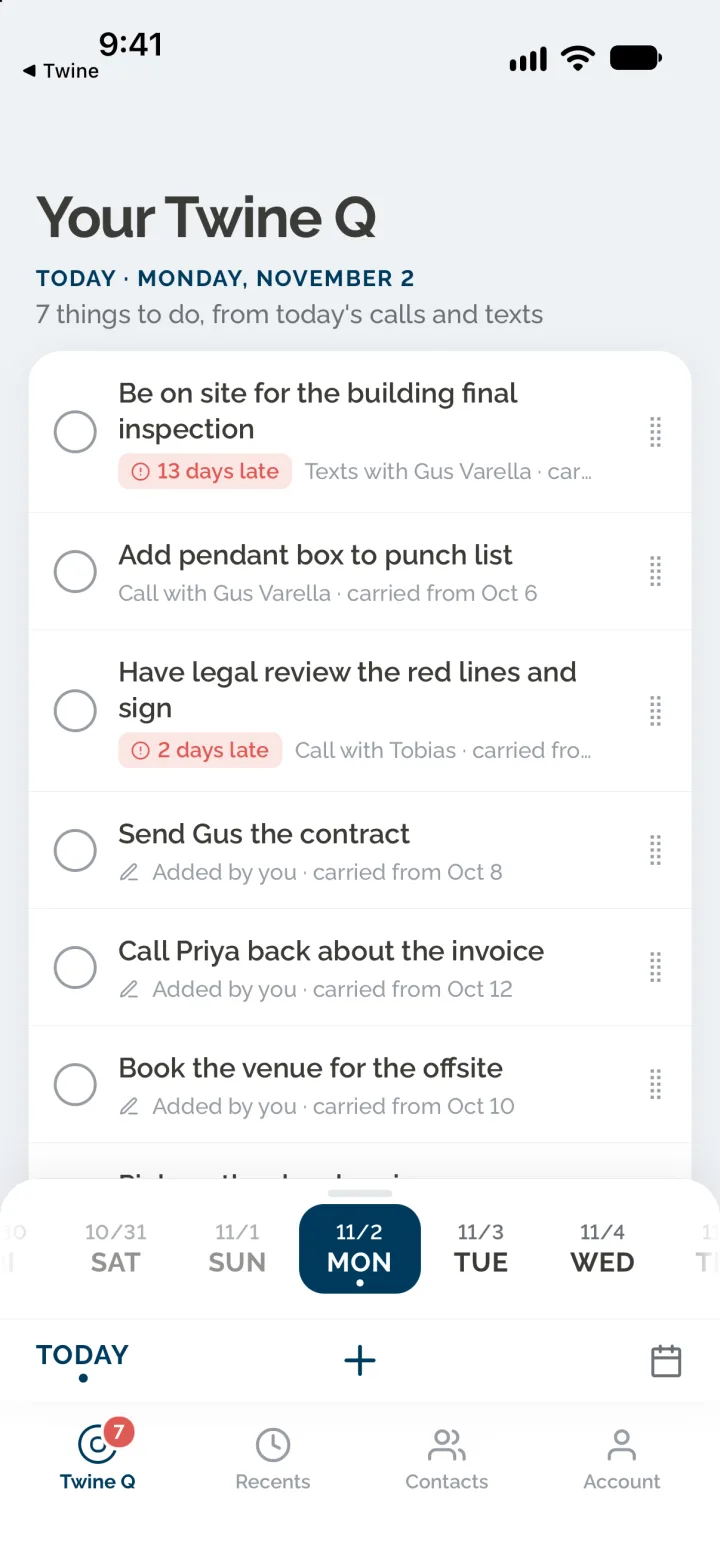
You were on the phone all day. Everything you promised, agreed to or need to follow up on is waiting in your Q.
How it works
Your day, captured.
1
You work the phone
Calls and texts all day on your Twine line, the way you always have. Nothing to log, nothing to tag.
2
The list writes itself
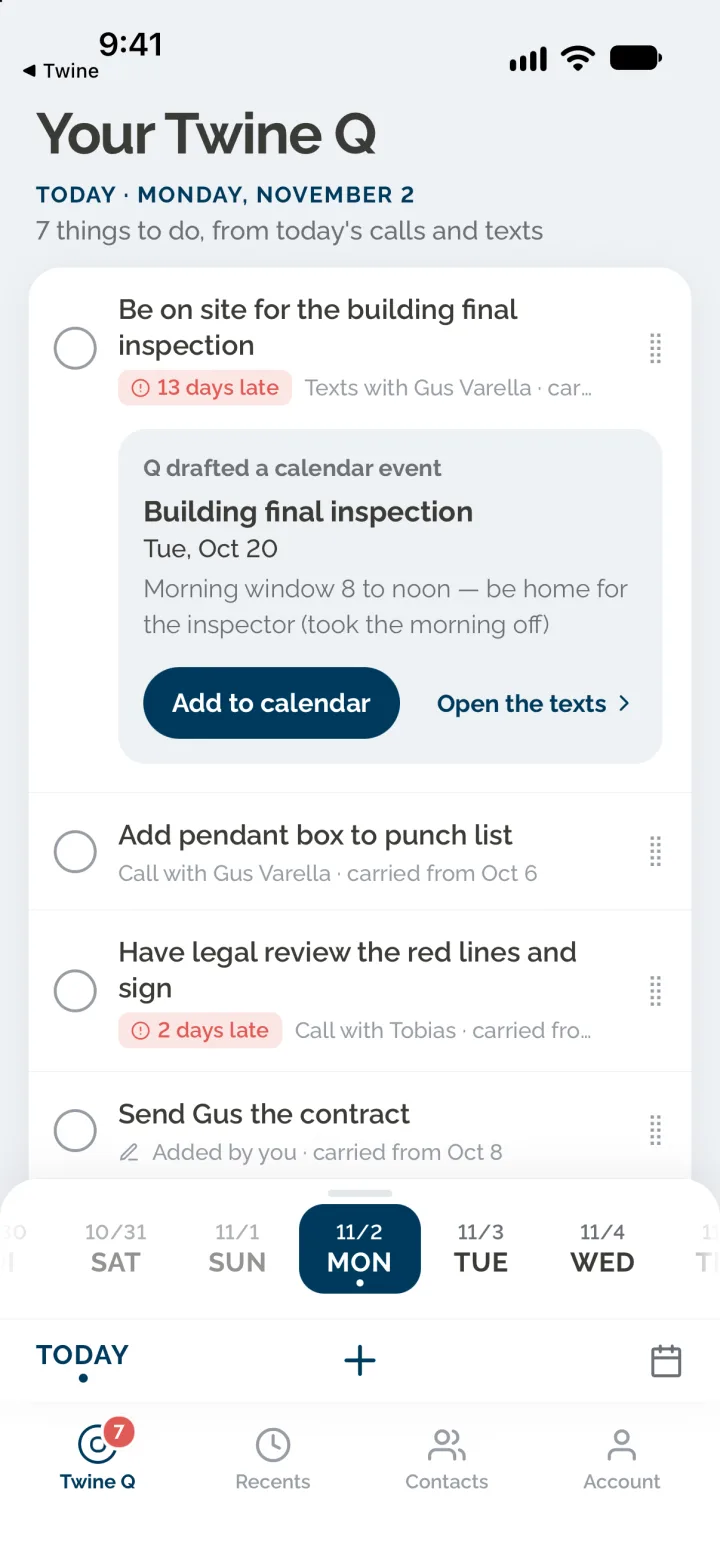
Every promise, callback and next step becomes a line on your Twine Q. Where there is something to send, the draft is already written.
3
You work the list
Tick a line when it is done. Tap one to check the draft, then send it. Nothing goes out until you tap Send.
The rules
Simple on purpose.
- Chronological by default. Drag a line to put it in your own order.
- One plain list. No sections, never grouped by person or by kind of to-do.
- Open items roll over to the next day on their own.
- Not every to-do has something to send. Those are a line to tick, and Twine Q is the reminder.
- Texts go out from your Twine number. Emails and calendar events open in your phone’s own Mail and Calendar, with the draft filled in.
- Every evening at 6 PM your Twine Q arrives by text, with nothing installed.
Why it works
It’s a real mobile line, so it sees the whole day.
The two things you actually do on a phone are call and text. Because Twine is a real mobile number, not an app bolted on top, it covers both. Twine Q is built from everything that happened on your line, so nothing from either side slips through.