
Features
Just make a phone call. That’s it.
Your Twine number turns every call and text into the to-dos that fall out of it, with the drafts ready when you are.


A real mobile number. Not a VoIP workaround.
Your Twine line is a real mobile number issued by a major carrier. Your calls connect, your texts land, and you are rarely flagged as spam. Use it as is: the intelligence is in the network, not in an app.
A to-do list that writes itself.
Every promise, callback and next step from your calls and texts lands on your Twine Q as one plain line. Open items carry over to the next day, so nothing has to be written twice.
The draft is ready. You send it.
Where a to-do has something to send, Twine drafts it. Texts go out from your Twine number. Emails and calendar events open in your phone’s own Mail and Calendar with the draft filled in. Nothing goes out without you looking at it first.
Your Twine Q, texted to you at six.
Every evening at 6 PM, the day’s to-dos arrive by text, with nothing installed. Prefer email? Switch it in one place, once.
Add the app and get superpowers.
In the app
One day of calls and texts, at a glance.
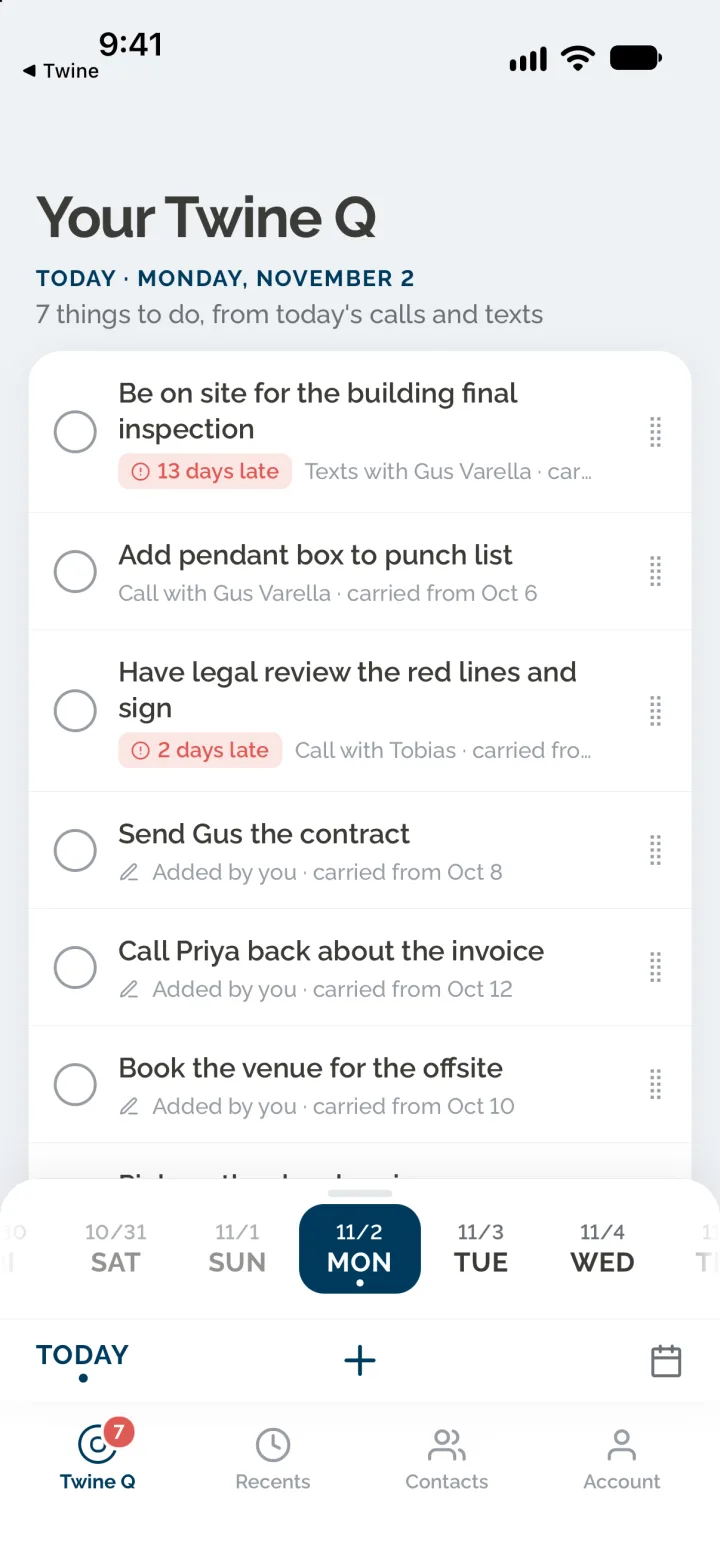
Twine Q, Recents and Contacts are three views of the same thing: the calls and texts on your Twine number, and the to-dos that came out of them.
Twine Q
Your to-dos. Chronological by default; drag a line to reorder it. Tap the circle to tick it off, or tap the line for the drafted text, email or event.
Recents
Every call and text on your Twine number, newest first, with an All, Calls and Texts filter.
Contacts
Anyone you have talked to on your Twine number: where you left off, what is still open between you, then your history together.
Account
Your Twine number and your settings.
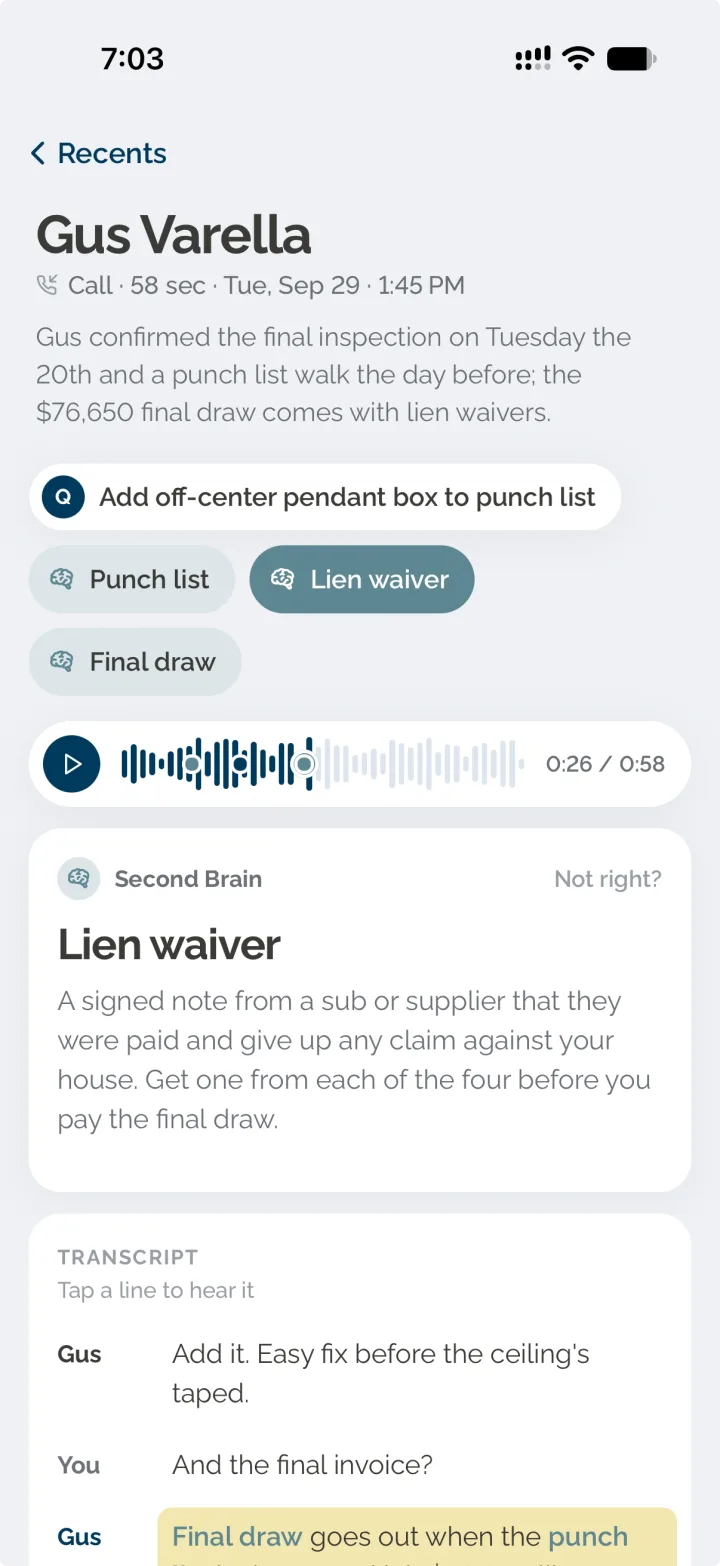
Recents
Every to-do shows where it came from.
Open a call or a text thread and you see its to-dos first. Tap one and the transcript opens on the sentence it came from, highlighted. The full transcript is one more tap away.
- The sentence behind every to-do, highlighted
- A timeline strip on calls, marking each moment that mattered
- Second Brain answers sit beside the to-dos
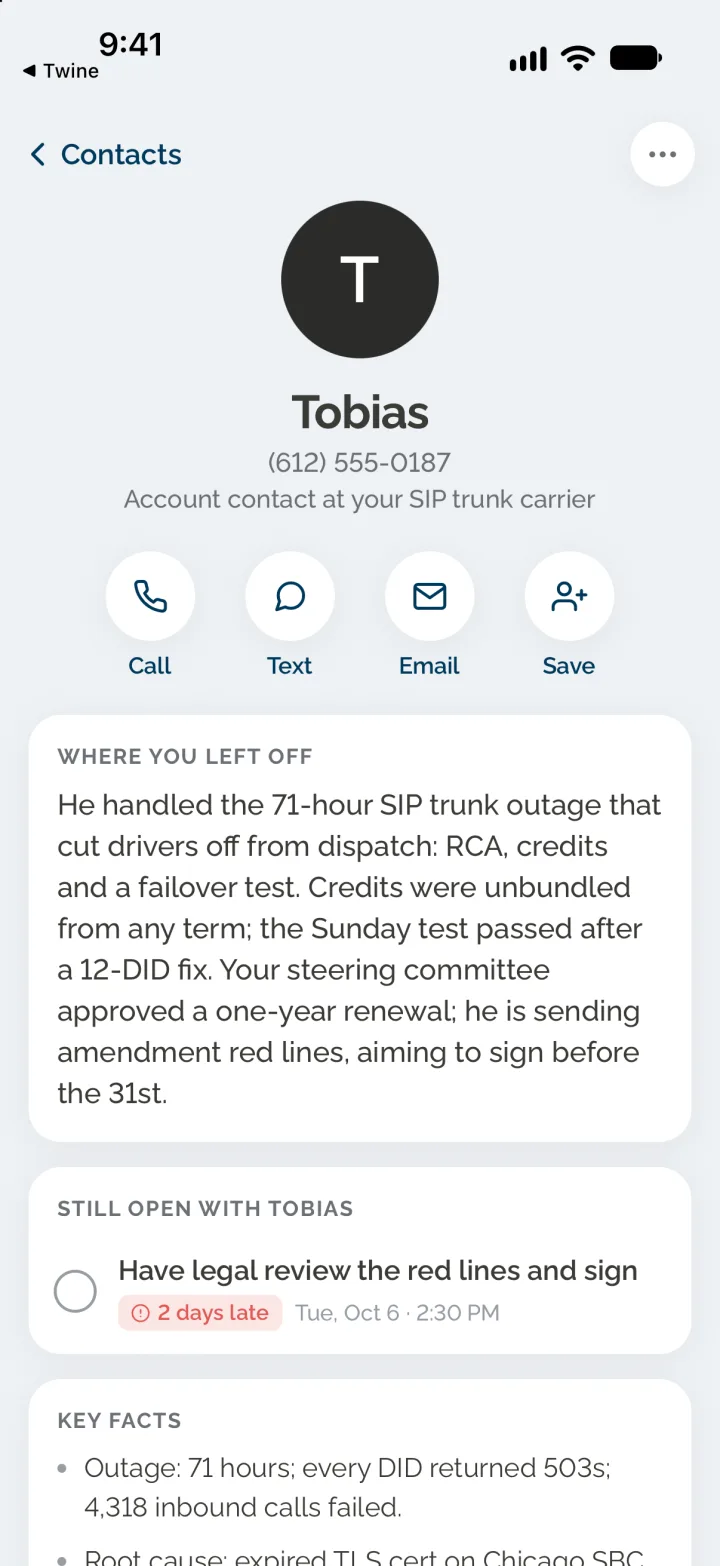
Contacts
Pick up right where you left off.
Open anyone you have talked to on your Twine number and the story so far is at the top: where things stand, what is still open between you, and the facts that came up along the way.
- Where you left off, in a few plain sentences
- What is still open between you, ready to tick off
- Key facts from every call and text with them
- Call, text or email them in one tap
Your day, as a list you can finish.
You were on the phone all day. Twine Q is what is left of it: one plain line per thing to do, in the order you keep. Tick them off, or send the drafts one at a time.
Explore Twine QWhat you didn’t know, already looked up.
The acronym, the caller you didn’t recognize, the term someone kept using. When you hang up, Second Brain has the answer next to your to-dos, with the sentence it came from.
Explore Second BrainGo home. Ask Claude about your day.
Connect your Twine line to Claude and ask what you promised, what someone said, or where you left off with them. Say “text Jerry the contract” and Claude drafts it and shows you. Twine sends it from your number once you have seen it. Claude sees your line and nothing else.
Twine for ClaudeOne line. All of this, on its own.
Get your Twine number today, and activate it in minutes.
Get my number now